Maintenance
Browser cookies, site data, permissions, history, autofill, extensions, profiles, and update checklist
Browser privacy checklist for versions, profiles, sync, cookies, storage, permissions, history, autofill, downloads, extensions, tests, and exceptions.
What to take away
- Record the browser, device, profile, account, version, and review date.
- Preserve recovery and required files before removing stored data.
- Review global defaults and saved site exceptions separately.
- Check browser, extension, account, and operating-system layers.
- Close with functional tests and a dated exception list.
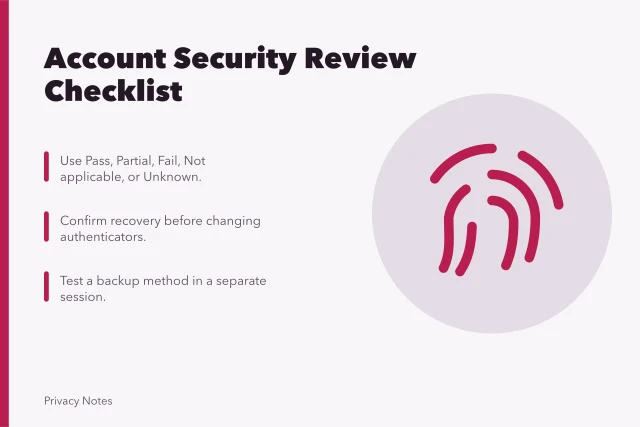
Use this checklist on one browser profile at a time. Mark Pass, Partial, Fail, Not applicable, or Unknown. Managed work and school devices may require administrator approval for changes.
Scope and recovery
- Browser name, version, update channel, operating system, device, and profile are recorded.
- The profile's person or purpose is clear.
- Password-manager, passkey, security-key, and recovery access have been confirmed.
- Required downloads, bookmarks, receipts, and local site documents are preserved.
- Management policies and administrator contact are known.
Updates and executable code
- Browser updates are enabled and the current update completed.
- Operating-system and security updates are current.
- Unsupported browsers and duplicate installations have a removal plan.
- Download warnings and deceptive-site protections are enabled unless a documented policy says otherwise.
- Unfamiliar helper applications and protocol handlers are investigated.
Profiles, accounts, and sync
- Work, personal, testing, and shared activity use suitable boundaries.
- The profile name and theme reduce accidental switching.
- Browser sign-in is intended and protected.
- Synced categories match the purpose.
- Old devices and sessions are removed from the browser account.
- Guest use and private windows are understood as local-retention controls, not anonymity.
Cookies and site storage
- Cross-site cookie or tracking settings match the chosen baseline.
- Site-specific allow and block exceptions are recognized.
- Stale site data is removed selectively.
- Offline documents and local web-app data are backed up before clearing.
- Clearing local data is not represented as deleting server-side account records.
- Sign-out and session revocation are used where account access must end.
Google's Chrome help page on deleting browsing data distinguishes history, cookies and site data, cache, download lists, autofill, permissions, hosted-app data, and information stored separately. It supports checking categories before deletion, but its instructions apply to supported Chrome versions rather than every browser.
Cookies and site storage
- Match cross-site cookie settings to baseline
- Recognize site-specific allow and block exceptions
- Remove stale site data selectively
- Back up offline documents and local web-app data
- Do not equate local clearing with server deletion
- Use sign-out and session revocation to end access
After removing one site's state, revisit it in a new window to confirm the intended result. A fresh sign-in prompt can show local session state ended, but not prove the site's records were deleted.
For account closure, use the service's account controls and keep any confirmation needed; for troubleshooting, restore only the minimum preference or permission the feature requires.
Site permissions
- Camera grants belong only to sites that still need them.
- Microphone and location grants are current and appropriately narrow.
- Notification permissions are limited to wanted senders.
- Clipboard, pop-up, download, USB, Bluetooth, sensor, and background permissions are reviewed where available.
- Temporary access is preferred for one-time tasks when supported.
- Saved denials and grants are tested after reset.
Mozilla's Site Permissions panel instructions explain how Firefox displays and resets changed permissions for a site. That supports the per-site review concept. Exact icons and menus can differ by Firefox version and do not describe other browsers.
History, downloads, and autofill
- History retention fits the profile's purpose.
- Search and address-bar suggestions do not expose sensitive old entries.
- Download history and downloaded files are reviewed separately.
- Saved names, addresses, payment details, and form entries are accurate and necessary.
- Saved payment data is not confused with merchant or account records.
- Operating-system recent-file and clipboard traces are considered for sensitive tasks.
Passwords and passkeys
- Saved credentials are unique, current, and held in the intended manager.
- Exposure or reuse alerts have been resolved through the actual service.
- Old account entries and duplicate password stores are removed safely.
- Recovery has been tested without weakening authentication.
- Exported credential files do not remain on disk.
Extensions
- Every extension has a named purpose and recognized publisher.
- Installation source and update path are trusted.
- Page, tab, history, download, clipboard, and private-window access are justified.
- Optional permissions and site access are narrowed.
- Unused, abandoned, or unexplained extensions are removed.
- Permission changes after updates trigger review.
Closeout tests
- Required public pages load.
- Sign-in and sign-out behave as expected.
- Payment, video, document, and accessibility tools needed by the user work.
- Camera, microphone, and location prompt only when expected.
- Narrow exceptions are recorded with owner, reason, and review date.
- The next review trigger and date are set.
Common questions
Does a failed checklist item mean the browser is unsafe?
Not by itself. It identifies a fact to investigate, repair, accept, or mark not applicable in context.
Should saved passwords always be removed from the browser?
No. A supported browser manager can be appropriate. Avoid unmanaged duplicates and protect the account and device.
Is clearing all data better than selective cleanup?
Not always. It can remove needed sessions, offline files, preferences, and accessibility settings while leaving server records untouched.
What belongs in the exception list?
Record the site, control changed, business or personal reason, scope, owner, date, and next review.