Features
Part of Smart home privacy guide: a household checklist
Roommate camera privacy case: reviewing shared access paths
This roommate camera privacy case walks through a shared-access review: map every path, remove a former roommate, reset roles, and shorten cloud retention.
What to take away
- Shared-home access must be reviewed across the platform, camera app, router, assistant, and downloaded files.
- Removing one member should follow evidence preservation and personal-safety decisions.
- New individual roles are safer to administer than a password shared by every resident.
- Camera aim, audio, retention, alerts, and live view need separate decisions.
- A completed change includes harmless tests and written ownership, recovery, and departure rules.
This roommate camera privacy case walks through a method, not a product test: the camera and the household are composite details, so translate each step into the settings your own camera service offers.
The apartment
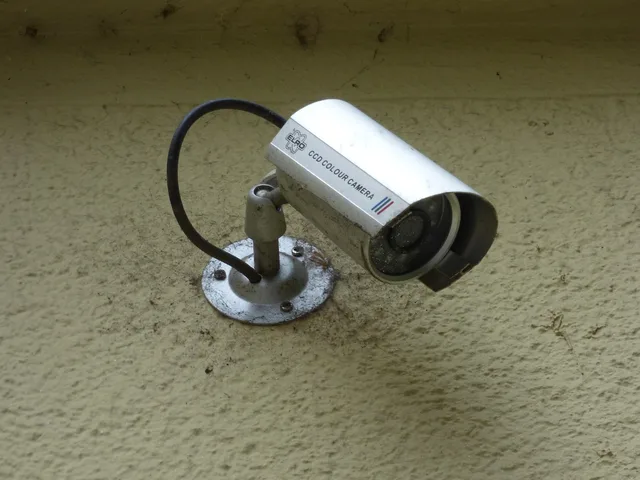
Jordan, Priya, and Mateo share an apartment. A camera faces the inside of the entry door and part of the living room. Jordan created the camera account two years earlier. All three residents use the same password. Event clips remain online for 30 days, audio is enabled, and alerts go to two phones.
Mateo moves out. The remaining residents change the Wi-Fi password but do not know whether that removes his cloud access. Priya later notices that the camera app lists a tablet she does not recognize. No one knows whether it is Mateo's old tablet, Jordan's earlier device, or an unauthorized session.
They avoid making an accusation. The device list is a lead, not proof of who used it or whether anyone watched a feed.
First decision: safety and evidence
Priya and Jordan check whether anyone faces an immediate safety risk. They agree not to discuss sensitive matters in front of the camera until access is understood. They save screenshots of the account's device list, member list, recent security notices, configuration, and timestamps.
They do not preserve ordinary household footage without limit. They save only the narrow records needed to investigate the unexplained tablet and document the access change. If stalking, threats, or unlawful recording were at issue, they would report it to local police and ask a court for a protective order before taking steps that might alert another person or destroy evidence. In the United States, audio recording is governed by the federal Wiretap Act (18 U.S.C. § 2511) and by state wiretap laws; some states, California among them, require the consent of everyone recorded under Penal Code § 632.
Build the access map
Every path gets a row, with what they found and what they did about it:
- Home platform:Mateo still held a member account; remove the member from the home and rotate the shared codes.
- Camera app:One password ran every device; sign out the other sessions and move Priya to her own account.
- Router:The Wi-Fi password change never reaches cloud access; confirm which devices rejoin under the new password and review what the router's admin page lists.
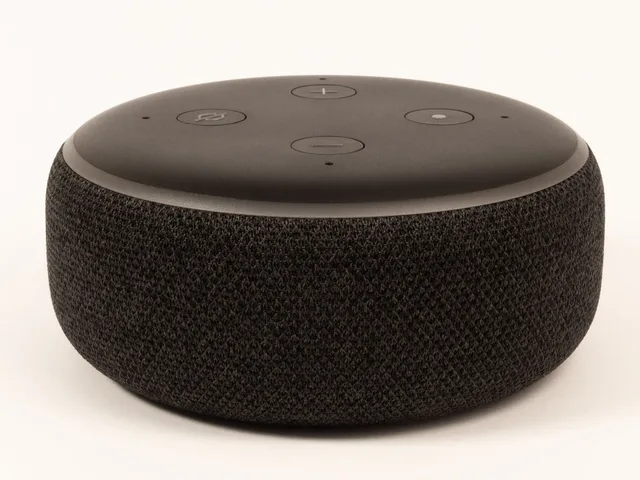
- Assistant:Voice control keeps its own device authorization; review the linked devices and remove Mateo's.
- Downloads:Clips saved to a phone or drive outlive account removal; ask for them to be deleted and note who holds a copy.
They also read the camera service's privacy notice, because what an app records, stores, and shares by default can differ from what the household has set.
| Path | Finding | Action |
|---|
Access paths to audit
- Camera owner accountJordan owns it
- Shared passwordknown to all former residents
- Signed-in devicesone tablet unexplained
- Smart-home platformMateo still a member
- Voice assistantcamera skill still linked
- Routercamera remains connected
- Downloadseach person may have saved clips
They learn central membership and accessory-app access are separate. Apple's Home sharing instructions describe owner, resident, and guest roles plus permission editing. They also cover remote control and member removal.
The page warns that removing someone from the Home app may leave control through a separate accessory app. Residents use that warning as a general audit prompt, not a claim their fictional camera uses Apple Home.
Protect the owner route
Jordan changes the recovery email password, enables strong authentication, reviews recovery methods, and saves backup codes offline. Then Jordan changes the camera password and uses the service's option to sign out other devices. The unexplained tablet disappears from the active list.
They record that the sign-out does not identify the tablet's user or prove earlier viewing. If the provider offers access logs or support investigation, they will use the verified support channel.
Rebuild household roles
Jordan invites Priya through an individual account. They test what Priya can view, download, delete, and configure. Priya receives the access needed to respond to door events but cannot invite new administrators.
Priya vs Mateo access
Priya
- Home platform
- Invited
- Camera app
- Individual account
- Assistant
- Relinked
- Monitoring
- Access needed
- Shared codes
- Rotated
- Saved clips
- Retained
Mateo
- Home platform
- Removed
- Camera app
- Removed
- Assistant
- Removed
- Monitoring
- Removed
- Shared codes
- Rotated
- Saved clips
- Request deletion
Google's connected-home guest guidance explains that guest activity on shared devices can be associated with the owner's account in some modes and describes a Google-specific Guest Mode behavior. It reminds the residents to discuss physical guest use as well as app membership. They do not assume that the Google controls exist on their fictional product.
Mateo is removed from the home platform, camera app, assistant integration, and any monitoring account. Shared door and alarm codes are rotated. The residents ask Mateo to remove saved clips under their written household agreement. They understand that account removal cannot reach copies already downloaded to another device.
Removing a member does not delete the clips the service still holds. To take those down, delete the stored recordings from the camera app's account settings and confirm the change; if the app offers no delete option, send the request through the provider's privacy or support page and keep the reply. Copies already downloaded to a phone, drive, or messaging thread sit outside that route.
Reconsider the camera itself
The original view includes more of the living room than the door-monitoring purpose requires. Jordan and Priya move the camera closer to the entry and narrow its motion zone. They disable audio because it is unnecessary for the purpose. A physical marker shows the agreed aiming limit.
Camera settings before and after
Before
- View
- Living room included
- Motion zone
- Broad
- Audio
- Enabled
- Retention
- 30 days
- Link sharing
- Broad
- Lock screen
- Full preview
After
- View
- Entry only
- Motion zone
- Narrowed
- Audio
- Disabled
- Retention
- 7 days
- Link sharing
- Disabled
- Lock screen
- Event type only
They shorten cloud retention from 30 days to seven, subject to any clip needed for a reported incident. They disable broad link sharing and confirm that only named accounts can use live view. Notifications show an event type without a full preview on locked screens.
Test the new configuration
They perform harmless checks:
- Open the camera app and confirm the unexplained tablet is gone from the active device list.
- Sign in as Priya and confirm she can view live video, download an event clip, and answer a door event, but cannot invite new administrators.
- Confirm the old shared password no longer works and that both residents' phones still receive alerts.
- Walk the shortened path through the entry and confirm the narrowed motion zone does not trigger on the rest of the living room.
- Play a new clip and confirm there is no audio.
- Check that a new clip disappears from the app after seven days.
- Open a link shared before the change and confirm it no longer reaches live view.
- Lock a phone and confirm the notification shows an event type without a preview image.
Configuration test steps
- Priya opens live view, Jordan confirms indicator
- Staged entry creates one clip and alerts both
- Recorded field excludes living-room seating
- Microphone records no audio
- Priya cannot invite another administrator
- Deleted test clip leaves ordinary history
- Former shared password no longer works
- Router shows only expected camera connection
The deletion test does not prove erasure from every backup or provider system. It confirms the behavior visible to ordinary household users.
The new household rule
Jordan and Priya write a one-page camera agreement. It states the device's purpose, owner, field of view, audio setting, retention, member rights, guest notice, incident process, and removal steps. New residents must review it before receiving access.
Departure checklist items
- Cloud membership
- Separate accessory apps
- Router credentials
- Assistants
- Monitoring
- Shared codes
- Sessions
- Downloads
The departure checklist now covers cloud membership, separate accessory apps, router credentials, assistants, monitoring, shared codes, sessions, downloads, and recovery. A calendar reminder prompts a review every six months and after any membership change.
Common questions
Did the unexplained tablet prove Mateo accessed the camera?
No. The listing lacked enough evidence to identify a user or show live viewing.
Why preserve screenshots before removing access?
They provide a narrow factual record for support or safety review without keeping unrelated footage indefinitely.
Was changing the Wi-Fi password sufficient?
No. Remote cloud access, app roles, active sessions, assistants, saved clips, and recovery paths needed separate review.
Why turn off audio?
The residents decided that entry monitoring did not require conversation capture. The fictional choice follows data minimization, not a universal rule.