Rules
Part of Smart home privacy guide: a household checklist
Smart home privacy problems: practical responses
Smart home privacy problems with logins, camera alerts, voice assistants, cloud history and resale, with the response steps NIST, the FTC and the CCPA support.
What to take away
- Start containment with accounts, active viewers, physical sensors, and network access.
- A surprising alert does not by itself prove hacking, recording, or data disclosure.
- Removing one household member may leave access through separate apps or shared credentials.
- Unsupported devices can remain functional while losing security maintenance.
- Deleting cloud history does not retrieve downloads or clear every linked service.
- Before resale, unlink accounts and follow the exact factory-reset process.
Smart home privacy problems mix physical spaces with accounts and remote systems. Keep a short factual timeline. Record what was seen, when, on which interface, under which account, and what changed. Do not erase all evidence before determining whether safety, insurance, support, or legal reporting needs it. The responses below follow two US government sources: NIST's smart-home tips and the Federal Trade Commission's consumer advice on smart homes and voice assistants.
Problem: default or reused credentials
What it can mean
A device or router may still use a published default. A reused password may have appeared in an unrelated breach. A shared password may remain known to a former resident or installer.
Secure Default Credentials
- Protect owner email first
- Change smart-home password
- Enable strong authentication
- Review active sessions
- Remove unknown devices
- Change router admin separately
Response
From a trusted device, protect the owner email first. Change the smart-home password, enable strong authentication, review sessions, and remove unknown devices. The FTC's advice for the account behind a voice assistant is a password of at least 15 characters that is not reused from other accounts, plus multi-factor authentication where the service offers it. Change router administrator credentials separately from the Wi-Fi password. Do not assume a password change ends a session unless the service says it does.
Problem: an unexplained live-view or camera alert
What it can mean
Possible causes include an authorized household member, an automation, a support session, a false alert, delayed notification, account misuse, or device fault. A light or notification can be important evidence, but it does not identify the viewer by itself.
Camera Alert Response
Is personal safety at risk?
Leave area, contact local help
Preserve alert and account history
Response
If personal safety is at issue, leave the area and contact suitable local help. Otherwise, preserve the alert and relevant account history. Cover or power down the camera if doing so is safe and does not disable required safety functions. Review members, sessions, integrations, access logs, and support records. Rotate credentials and contact the maker through a verified route.
Problem: access is broader than expected
What it can mean
An administrator may see every camera and future device. A member may have activity-history rights in addition to live control. Another app may keep its own invitation even after the central home removes a person.
Access Rights Matrix
- View
- History
- Control
- Settings
- Invitations
- Exports
- Deletion
Response
Build a person-by-person matrix of view, history, control, settings, invitations, exports, and deletion. Reduce rights to the minimum required. Remove dormant memberships and test each remaining role. Check the accessory maker, home platform, monitoring provider, assistant, and automation service separately. On a voice assistant, the FTC suggests a PIN or turning off voice ordering so visitors or children cannot buy by voice, and a guest mode where the assistant offers one.
Problem: the device no longer receives updates
NIST's smart-home safety tips recommend researching product support, enabling updates, changing default passwords, using multifactor authentication, considering network segmentation, and securely erasing devices before disposal. The post is titled "7 Tips to Keep Your Smart Home Safer and More Private, From a NIST Cybersecurity Researcher". The advice supports a maintenance review; it does not declare every older product compromised.
Stale Device Review
- Confirm exact model and support status
- Test offline operation
- Remove unnecessary remote access
- Remove unnecessary integrations
- Replace when risk is unreasonable
Response
Confirm the exact model and published support status. Ask whether the device can operate offline without creating a safety problem. Remove unnecessary remote access and integrations. Replace the product when the consequence, exposure, lack of patches, or lost account support makes continued use unreasonable.
Do not install unofficial firmware on a lock, alarm, medical device, or safety control without qualified review. A failed modification can create a physical hazard.
Problem: cloud history is longer than expected
What it can mean
The household may have changed a recording plan, enabled a subscription, saved clips manually, or misunderstood separate retention controls for events, voice audio, transcripts, and exports.
Response
Document the current plan and each history category. Export records that must be kept. Shorten future retention, then submit supported deletions. Check trash, archives, shared links, downloaded files, mobile photo libraries, assistant activity, and third-party services. Record what the provider says deletion covers.
If the provider will not delete data you can no longer remove in the app, the law may help. California residents have a right to delete under the California Consumer Privacy Act: they can ask a business to delete personal information it collected from them and to tell its service providers to do the same, subject to exceptions such as information the business is legally required to keep.
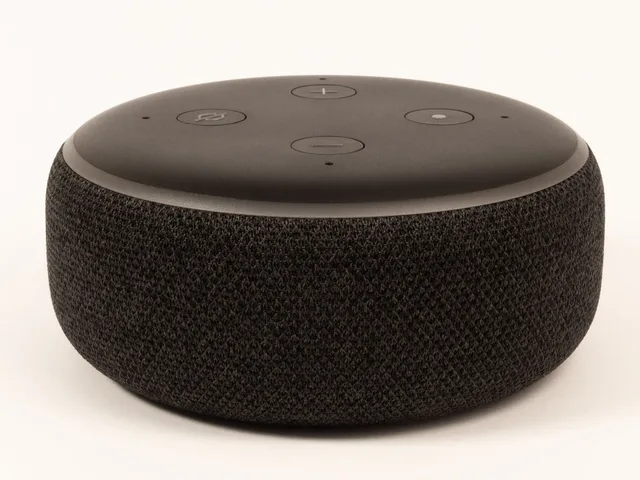
Problem: a voice assistant activates unexpectedly
What it can mean
Background sound can resemble a wake phrase, such as "Alexa" or "OK, Google". A button, routine, linked device, or another household member may initiate a request. Do not infer that all room audio was stored.
Response
Review the provider's voice-history and activity controls, whether the assistant is Alexa, Google Assistant, Siri or another. Preserve the relevant entry if an investigation is needed. Then work through the FTC's voice-assistant steps:
- Check whether recordings are stored permanently by default, and set how long the manufacturer keeps them, or turn on automatic deletion where it exists.
- Read the privacy policy on who can listen to recordings, and opt out of human review if the settings allow it.
- Use the physical button or switch that stops the device listening in spaces or at times where voice capture is unwanted.
Also adjust activation settings, remove unused skills, and inspect household members.
Problem: the smart home is being sold or rented
The FTC's smart-home transfer advice, the consumer alert "Buying or selling a smart home? Read this.", recommends listing connected devices, removing administrative access and personal information, changing account settings and logins, factory-resetting devices, and having a new owner create an account and update products. The page concerns a property transfer and does not replace each maker's reset procedure.
Response
Inventory obvious and hidden devices. Save required records, cancel monitoring and subscriptions, remove household members, unlink every product, reset it, and clear removable storage. Leave owner's manuals and setup documents, with the smart features highlighted but without personal credentials. A buyer should reset devices again, create fresh accounts, update software, and review mobile permissions.
Problem: reset appears incomplete
What it can mean
The device may have restarted instead of resetting, retained removable storage, remained tied to a cloud account, or required a former owner to release it.
Response
Stop the transfer. Follow the exact model instructions, remove it from apps and integrations, then verify that the recipient sees a first-time setup state. Contact the maker if ownership remains attached. Do not send a stranger account credentials to solve the pairing problem.
Common questions
Does an unexplained camera light prove someone watched me?
No. Preserve the event and investigate accounts, logs, automation, support, faults, and documented indicator behavior.
Should I disconnect every smart device during an incident?
Contain the affected path while considering alarms, locks, medical devices, evidence, and personal safety. Broad shutdown can cause other harm.
Can deleting the owner's account erase a downloaded clip?
No. Copies already downloaded or shared must be handled at their separate locations.
Is a factory reset the same as removing a device from an account?
Not always. Many products require both steps, in a model-specific order.