Reviews
Part of Smart home privacy guide: a household checklist
Local processing, cloud processing, live view, recorded clips, voice history, and device telemetry compared
Local and cloud processing, live view, clips, voice history and telemetry are separate records with separate controls, retention and deletion paths.
What to take away
- Local processing says where a task runs, not whether the product is private. Ring Edge and the Nest Hub Max analyze some events on the device and still hold cloud accounts.
- Live view, saved clips, voice audio, transcripts and telemetry are different records with different controls.
- A switch can govern collection, saving, review, improvement use or deletion without touching the others.
- Subscription status and an internet outage can change where recordings live and who can open them.
- Verify the documented path for your exact model, account, feature and software version.
A camera can detect motion on the device, upload the clip, stream live video to your phone and send diagnostics to the vendor, all at once. Those are four data paths behind one app screen. Treat each as its own record with its own owner, retention period and delete button.
The six functions, side by side
The table compares six functions across services you can check today: Amazon Ring, Google Nest, Apple HomeKit Secure Video, Amazon's Blink, Wyze, Eufy Security and Arlo. Each cell names a control or a published figure.
Typical purpose
- Local processing
- Detection or control near the device
- Cloud processing
- Remote analysis or service delivery
- Live view
- Show current camera or sensor output
- Recorded clip
- Preserve selected audio or video
- Voice history
- Save requests, audio or transcripts
- Telemetry
- Operate, diagnose, measure, improve
Named examples, controls and public figures
- Local processing
- Ring Edge runs person and package detection on a Ring Alarm Pro with a microSD card and needs Ring Protect Pro. The Nest Hub Max handles Face Match and Quick Gestures on the device.
- Cloud processing
- Ring Protect stores event video for up to 180 days in the United States. Nest Aware keeps 30 days of event video; Nest Aware Plus keeps 60 days plus 10 days of continuous video.
- Live view
- Ring and Blink show live video with no plan; recorded history needs Ring Protect or a Blink Subscription Plan.
- Recorded clip
- Eufy Security writes to a HomeBase, Wyze writes to a microSD card, and Arlo's SmartHub writes to attached storage. Apple HomeKit Secure Video keeps clips in iCloud+ for up to 10 days.
- Voice history
- Alexa voice recordings can auto-delete after 3 or 18 months. Google's Web & App Activity auto-delete options are 3, 18 or 36 months, with 18 months as the default.
- Telemetry
- Apple's Share iPhone Analytics is opt-in during setup. Roku and Vizio televisions offer opt-outs for automatic content recognition used in ad measurement.
The rows overlap. Product documentation is a map to verify, not proof of what happened in one incident.
Local processing
Local processing runs on the device or a hub in the home. It can keep raw sensor input from leaving and let some functions work during an outage.
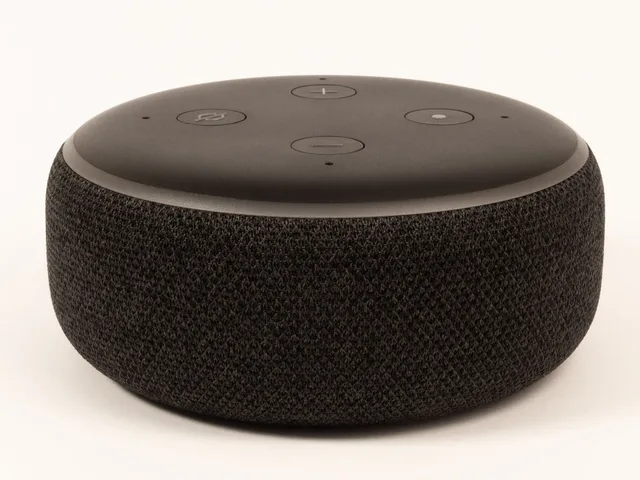
Ring Edge runs detection on a Ring Alarm Pro and writes to a microSD card. The Nest Hub Max handles Face Match and Quick Gestures on the device. Amazon Echo speakers detect the wake word locally.
Local processing also creates databases, thumbnails, recognition templates, logs and storage cards. Those need protection and a reset plan. Ask whether remote access still runs through a vendor relay, whether detection results leave the device, and who can pull the local storage off the hardware.
Cloud processing
Cloud processing sends data or derived results to remote systems. It buys stronger hardware, coordinated updates, remote access and cross-device features.
Ring Protect stores event video for up to 180 days in the United States. Nest Aware holds 30 days of event video, and Nest Aware Plus holds 60 days plus 10 days of continuous video. Blink, Wyze and Arlo sell comparable plans, priced per camera or per household.
Cloud processing also adds service accounts, provider retention, legal jurisdictions and support access. It adds outages, subscription conditions and deletion queues. Amazon Sidewalk shares a slice of home bandwidth with neighbors until you opt out in the Alexa app.
One cloud toggle rarely controls every flow. Voice assistance, camera history, crash reports, threat detection and partner integrations can each carry separate terms.
Live view
Live view shows current output. The service may authenticate the viewer, relay the stream, write access logs, buffer data, generate thumbnails or allow screen recording.
Ring and Blink show live video without a paid plan. Their recorded history does not work that way. A claim that live video is not continuously stored does not mean no clips, logs or diagnostics exist.
Test every role: resident, guest, technician, monitoring service, linked display. Check whether viewing trips a light or a notice.
Recorded clips
A recorded clip preserves an interval before, during or after an event. It may sit locally, remotely or both. Eufy Security writes to a HomeBase, Wyze writes to a microSD card, and Arlo's SmartHub writes to attached storage without a plan.
Retention can depend on a subscription, event type, manual save, legal hold or device model. Apple HomeKit Secure Video keeps clips for up to 10 days inside iCloud+, which needs a paid storage tier. The 50GB tier covers one camera, 200GB covers five, and 2TB or higher is unlimited.
Separate the original clip from downloads, shared links, notifications, previews and exports. Deleting the service copy cannot retrieve a copy another authorized viewer already saved.
Voice audio and history
Google's audio-activity documentation says the optional voice and audio activity setting can save recordings with Web & App Activity, and that false activations occur. Google's auto-delete options for that activity run 3, 18 or 36 months, with 18 months as the default.
It separates turning off future saving from deleting audio already stored. Other Google services and on-device functions can hold audio under separate controls. These details describe the documented Google services, not every assistant.
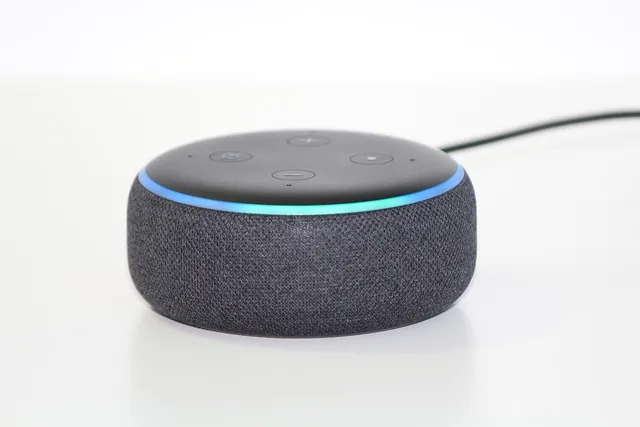
Alexa voice recordings can auto-delete after 3 or 18 months, and Amazon says deleting a recording also removes its transcript.
Amazon's Alexa device help page covers indicators, review and deletion of voice recordings and transcripts, automatic-deletion options, and categories that can stay outside a voice-history deletion. It also notes that third-party skill data may need separate handling. Interfaces change, so confirm the current account screen before acting.
Apple keeps Siri audio recordings only if you opt in, handles many requests on the device, and offers a Delete Siri & Dictation History control in Settings.
A voice record can hold audio, a transcript, a typed request, and device identity. It can also hold time, response, and the action taken.
A setting that deletes audio may not cover shopping lists, reminders, skill data or attachments. Check whether the account groups related requests or keeps text after audio removal.
Device telemetry
Telemetry can carry model, software version, identifiers, and network state. It can also carry uptime, errors, performance, and feature use. It can also carry event counts and timestamps. Some of it delivers updates or diagnoses failures. Some supports measurement or product development.
Look for separate controls for required service data, optional analytics, personalized services, advertising and product improvement. Turning off one optional program may not stop the operational logs the service needs to run.
Named switches exist. Apple's Share iPhone Analytics is opt-in during setup. Google's Usage & diagnostics setting sits in the privacy menu. Roku and Vizio televisions offer opt-outs for automatic content recognition, which feeds ad measurement.
A comparison method
For each feature, fill six fields:
Six-Field Data Path Review
- Inputraw audio, video, commands, sensors, identifiers
- Locationdevice, hub, phone, provider, partner
- Purposecontrol, alert, storage, support, safety, analysis
- Accessowner, member, guest, vendor, monitor, third party
- Lifetimetransient, fixed period, account life, user-selected
- Exitdisable, delete, export, unlink, reset, replace
Repeat the review after you enable an integration or a subscription. The same hardware can take a different path after one setting changes.
Common questions
Does local processing mean nothing reaches the vendor?
No. A device can process one function locally while sending updates, diagnostics, account events or other feature data elsewhere. Ring Edge still ties to a Ring account and a Ring Protect Pro plan. Read the vendor's data-flow page for that model.
Is live view the same as continuous recording?
No. Live view shows current output; recording preserves content. Ring and Blink offer live view with no plan and sell recording separately. A service can log access on its own terms.
Does disabling saved audio disable a voice assistant?
Not necessarily. Apple processes many Siri requests on the device while saving nothing. Processing and saving can be separate, but the result depends on the named service and its current settings.
Does deleting voice history delete third-party skill data?
Not necessarily. Amazon notes that skill data may sit outside voice-history deletion. Check the assistant provider and the third party, then file separate deletion requests where the terms require it.