Guides
Halifax and St. John's health privacy, identity theft and SIM-swap risks
Halifax St John's privacy risks: health records, identity theft and SIM swaps in Nova Scotia and Newfoundland and Labrador, with steps and reporting routes.
What to take away
- Halifax St John's privacy risks centre on health records, small-market identity theft and SIM swaps that national guides rarely cover.
- Nova Scotia's health-privacy law, the Personal Health Information Act, governs how Halifax clinics, hospitals and pharmacies collect and disclose your health information.
- In Newfoundland and Labrador, identity theft often starts with phone porting and weak account recovery, not just lost wallets.
- Report fraud to the Canadian Anti-Fraud Centre (CAFC) and follow Canadian Centre for Cyber Security (Cyber Centre) device guidance.
- Freeze your credit file with Equifax Canada and TransUnion Canada, and secure your CRA account.
Nova Scotia's health-privacy law and what it covers in Halifax
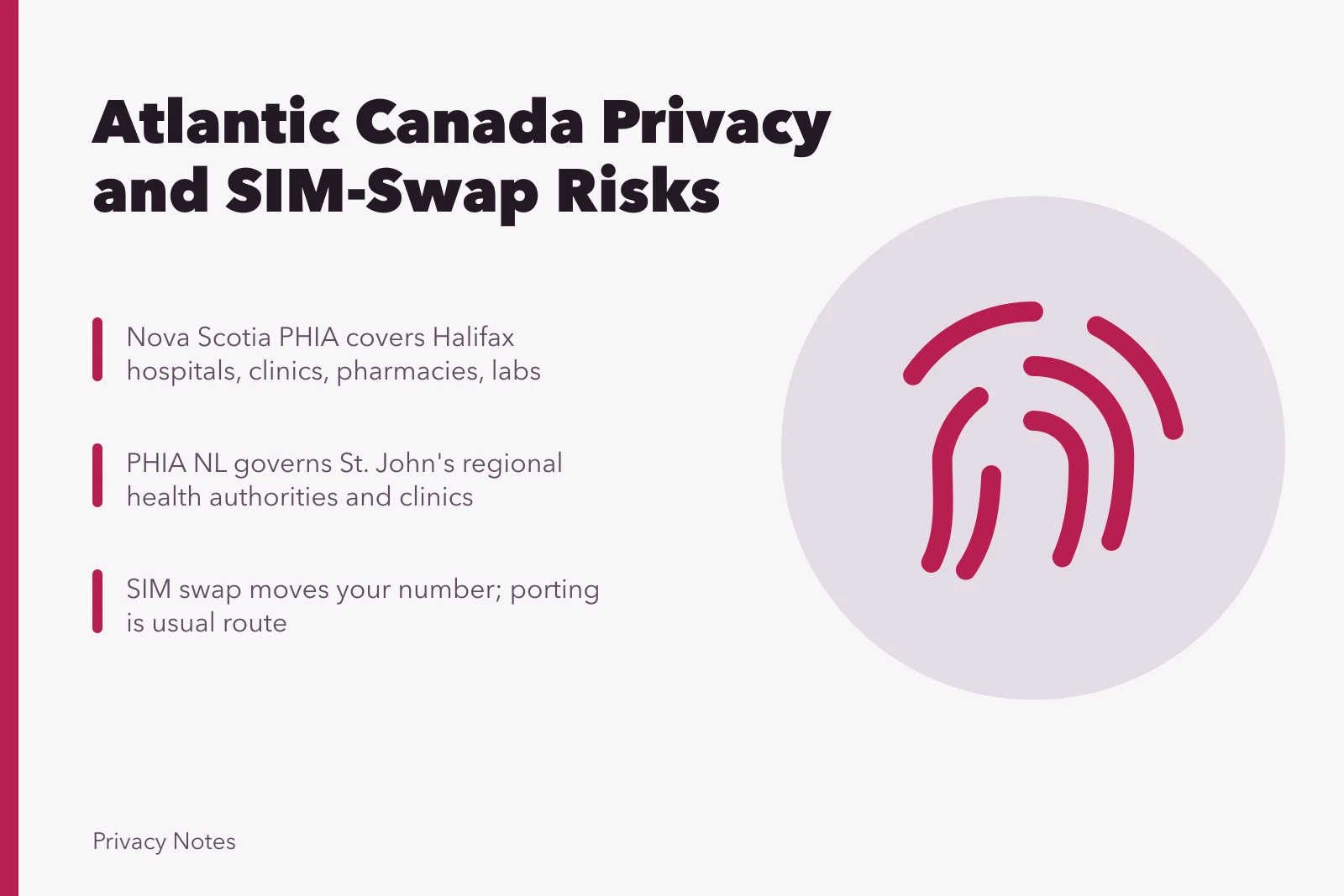
Nova Scotia's health-privacy law is the Personal Health Information Act, usually shortened to PHIA. It applies to hospitals, clinics, pharmacies, labs, ambulance services and private practices across Halifax. PHIA sets rules for collecting, using, disclosing and retaining personal health information. It also gives you the right to request access to your own record and to ask for corrections.
Halifax has a large health sector: the QEII Health Sciences Centre, the IWK Health Centre, Dalhousie's medical and dental clinics, and hundreds of community practices. Each handles health information under PHIA. If you work remotely for an Ontario or U.S. employer, your health data may still sit with a Nova Scotia provider, so PHIA applies to that record.
PHIA requires safeguards that are reasonable in the circumstances. That includes limiting who inside a clinic can see your file and logging access. A snooping incident, where a staff member looks at a neighbour's or ex-partner's record without a work reason, is a privacy breach.
The provider must notify you if your privacy is breached in a way that could harm you.
To act on a Halifax health-privacy problem, start with the provider's privacy officer. Hospitals and health authorities publish a privacy contact. Ask what was accessed, when, by whom and what they will do next. Keep the reply.
If you are not satisfied, you can complain to the Office of the Information and Privacy Commissioner for Nova Scotia. That office oversees PHIA and reviews access complaints. Reach the office at oipc.ns.ca, by phone at 902-424-4684 or toll-free at 1-866-243-7136.
For federal health privacy topics, such as genetic and biometric data, the Office of the Privacy Commissioner of Canada publishes health information, genetics and biometrics guidance.
Nova Scotia's provincial services portal is the entry point for many health and consumer programs. Use the Programs and Services directory to find the right office before you call. The Topics index groups privacy, health and fraud resources by subject.
Newfoundland and Labrador health records and small-market identity theft patterns
Newfoundland and Labrador health records are covered by the Personal Health Information Act, often called PHIA NL. It applies to regional health authorities, clinics, pharmacies and private practitioners in St. John's and across the province. The law governs collection, use and disclosure, and it gives you access and correction rights.
St. John's has a concentrated health system. Eastern Health runs the major hospitals, including the Health Sciences Centre and St. Clare's Mercy Hospital. That concentration means a single breach can touch many people. It also means a single privacy office handles most complaints, which can simplify your first steps.
If you need to escalate, the Office of the Information and Privacy Commissioner for Newfoundland and Labrador is at oipc.nl.ca, phone 709-729-6309 or toll-free 1-877-729-6309.
Small-market identity theft patterns differ from big-city fraud. In Halifax and St. John's, where many people know each other, an attacker can often guess a victim's email, workplace and family names. Those details help answer security questions.
Newfoundland and Labrador identity theft also shows up in tax season. A fraudster files a return in your name, or redirects your CRA mail. Because the province has a smaller population, a compromised address or phone number can be reused across several accounts before anyone notices.
Common warning signs include a sudden loss of cell service, a bank alert about a new payee, or a CRA notice for a return you did not file. Treat any of these as an active incident, not a glitch. For a structured response, our browser privacy checklist walks through breach notices and account takeover.
SIM-swap and porting risk in Atlantic Canada
A SIM swap happens when someone convinces your mobile carrier to move your number to a SIM they control. Your phone loses service. Their phone receives your calls and texts, including one-time passcodes. In Atlantic Canada, the porting process is the usual route. A fraudster with your name, address and date of birth can sometimes pass carrier verification.
SIM swap response steps
- Phone loses service unexpectedly
- Borrow phone, call carrier from other line
- Ask if port or SIM change requested
- Change email password on trusted device
- Sign out all sessions
The Canadian Radio-television and Telecommunications Commission (CRTC) requires carriers to follow rules for number porting and to protect your account. Those rules apply in Halifax and St. John's, as they do across the region. You can ask your carrier to add a port-protection or account PIN. Not every carrier offers the same option, so ask specifically.
Bell, Rogers, Telus and Eastlink, along with their flanker brands, offer a port-protection PIN or port freeze. The name differs by carrier, so ask for the port-protection setting.
The strongest fix is to reduce reliance on SMS codes. Use an authenticator app or a hardware security key for email, banking and CRA. If a service only offers SMS, consider whether you need it. For a comparison of how SIM swaps fit with other incidents, see our browser privacy guide explainer.
If you lose service unexpectedly, borrow a phone and call your carrier from a different line. Ask whether a port or SIM change was requested, and whether a new SIM was activated. Then change your email password from a trusted device and sign out all sessions.
Reporting to the Canadian Anti-Fraud Centre from Halifax and St. John's
The Canadian Anti-Fraud Centre (CAFC) is the national intake point for fraud reports. It is jointly run by the RCMP, the Competition Bureau and the Ontario Provincial Police. You can report online or by phone. Call 1-888-495-8501 or report at antifraudcentre-centreantifraude.ca. Reporting helps link your case to others, even when no money is recovered.
Who to report fraud to
- Canadian Anti-Fraud Centreonline or phone
- Halifax Regional Police or RNClocal file number
- Equifax and TransUnionfraud alert
- CRAreport and lock account
- Privacy Commissioneridentity topics
From Halifax and St. John's, you can also file a local police report. Halifax Regional Police and the Royal Newfoundland Constabulary take fraud complaints. A police file number is useful for banks and credit bureaus. The CAFC report and the police report serve different purposes, so do both if you can.
For identity theft, contact Equifax Canada and TransUnion Canada. Ask for a fraud alert and a copy of your credit report. If accounts were opened in your name, ask the lender for the application records. Those records often reveal the phone number and address the fraudster used.
If your CRA account was accessed, call the CRA and report it. The CRA can lock the account while it reviews. You can also check your account through CRA login services once access is restored.
The Office of the Privacy Commissioner of Canada also covers identity topics such as identity theft and fraud prevention.
Cyber Centre steps for devices and accounts
Secure devices in order
- Emaillong unique password, turn on MFA
- Remove old recovery phones and emails
- Phonecarrier PIN, passcode, app permissions
- Computerauto updates, full-disk encryption
- Back up to an offline drive
- Sign out stale sessions, re-sign in trusted devices
Start with your main email account. It is the recovery route for almost everything else. Change the password to something long and unique, then turn on multi-factor authentication. Remove old recovery phone numbers and email addresses you no longer control.
Next, secure your phone. Set a carrier account PIN and a device passcode. Review app permissions, especially for SMS and contacts. Remove apps you do not use. A malicious app with SMS access can intercept codes even without a SIM swap.
Then secure your computer. Turn on automatic updates for the operating system and browser. Use full-disk encryption, which is built into modern Windows, macOS, iOS and Android. Back up important files to a location the attacker cannot reach, such as an offline drive.
Finally, review your accounts for stale sessions. Sign out of all devices on email, social media and banking, then sign back in only on devices you trust. Our account security problems guide covers password reuse, phishing and lockouts.
Protecting health, banking and CRA accounts after an incident
After a health-privacy breach in Halifax or St. John's, ask the provider for a written notice. It should say what information was involved and what support is offered. If the breach involved your provincial health card, ask whether the number will be changed. A new health card number can limit further misuse.
After-incident account checklist
- Ask provider for written breach notice
- Ask if health card number changes
- Bankblock new credit, note file
- Review transactions and payees
- CRAkeep notices and reference numbers
- Never email identity documents
For banking, call the fraud line on the back of your card. Ask for a block on new credit applications and a note on your file. Change your online banking password from a clean device, and review recent transactions and payees. If a new payee was added, ask the bank to reverse the transfer.
For your CRA account, call 1-800-959-8281 to report the fraud and ask for a lock. Keep your notices and reference numbers. If a fraudulent return was filed, you may need to prove your identity with documents. Do not send originals by email. Use the CRA's secure portal or a Service Canada office.
Our browser privacy problems covers accounts, passwords, sessions, devices, credit, identity and evidence. For a focused walkthrough of a single exposed record, see data broker privacy guide.
- Change passwords for email, banking and CRA from a trusted device.
- Turn on multi-factor authentication and remove old recovery contacts.
- Ask your mobile carrier for a port-protection PIN.
- Request a fraud alert and credit report from Equifax Canada and TransUnion Canada.
- Report the incident to the Canadian Anti-Fraud Centre and local police.
- Notify your health provider's privacy office if health records were involved.
- Keep a written log of dates, names, reference numbers and replies.